Turn a prompt or your own lyrics into original music with leading AI music models.
AI Song Generator
Turn a prompt or your own lyrics into a full song with vocals. This AI song generator lets you choose Suno, Mureka, ElevenLabs, Lyria or MiniMax in one place.
glossy synth-pop, shimmering pads, punchy electronic drums, confident female vocal, late-night city drive, 118 bpm
gritty garage rock, overdriven guitars, stomping drums, raw male vocal, sneering swagger, 132 bpm, southern rock edge

lo-fi chillhop, mellow electric piano, soft vinyl crackle, laid-back male vocal, warm bass, 82 bpm, lazy Sunday mood

k-pop, bright synth-pop with punchy 808 drops, girl group energy, catchy english-korean hook, layered harmonies

happy nu-disco, groovy bassline, shimmering strings, four-on-the-floor, joyful soulful female vocal, 122 bpm
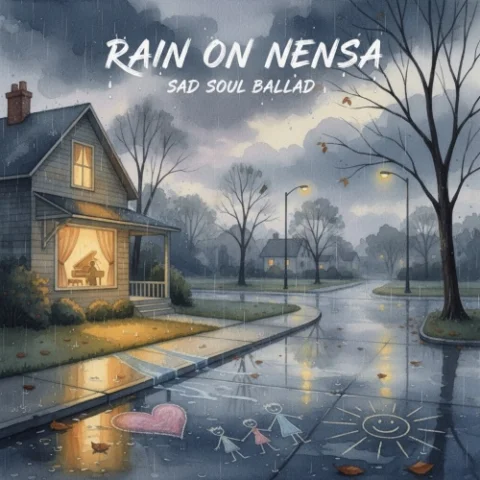
sad soul ballad, warm piano, soft strings, deep emotional female vocal, gospel-tinged, slow 62 bpm, grief and hope
Hover a song to see the prompt behind it, then make your own from the same prompt.
AI Song Generator Features
Everything you need to go from an idea or a page of lyrics to a finished song, in one workspace.
Create Songs from a Prompt
From a one-line idea to a full song with vocals
Describe the genre, mood, instruments and vocal in plain words. The AI writes the lyrics, melody and arrangement for you.
- Style tags + your own words
- Any genre, any mood
- Exclude styles
- Vocals or instrumental
- Sing in 13 languages
- Two takes per run
Turn Your Lyrics into a Song
Hear your words sung before you book a studio
Paste your verses and chorus in Custom mode, describe the sound, and hear your lyrics as a full track.
- [Verse] and [Chorus] tags
- Type "/" to add a tag
- 10 seconds to 6 minutes
- Synced lyrics playback
- Built-in AI Lyrics Generator
- MP3, WAV or FLAC
One prompt,
five AI models
Prompt used for every take“An upbeat indie-pop song about a summer road trip with friends, bright electric guitars, handclaps, female vocals, 118 BPM.”
Create songs from lyrics
Already have words? Paste them in and SongMaker works as an AI song generator from lyrics: it sings them back as a full track.
Paste your lyrics in Custom mode
In the AI song generator, switch from Simple to Custom mode and paste your verses and chorus into the lyrics box.
Add section tags and a style
Mark the structure with tags like [Verse], [Pre-Chorus], [Chorus] and [Bridge] so the model knows where the hook goes.
Pick a model and generate
Choose a model in the AI song generator: Suno, Mureka, ElevenLabs, Lyria or MiniMax, then generate.
How to get a better song on the first try
A few habits that make every model follow your idea more closely, and quick fixes when a take comes out wrong.
Name four things in the style box
A genre, a mood, two or three instruments and the vocal. For example: "Dreamy synthwave lullaby, soft analog pads, breathy female vocal, 90 BPM."
Give the chorus one repeating line
Keep verses short and let one line of the chorus come back. A clear hook helps every model build a stronger song.
Put the voice in words
Write the vocal you want in the style box, like "deep male baritone" or "airy female vocal", rather than leaving it to chance.
Describe the sound, not the artist
Prompts that name real artists may be rejected. Describe the era, instruments, vocal tone and tempo instead, such as "90s alternative rock, fuzzy guitars, raspy male vocal".
Fix a word that is sung oddly
Spell it the way it sounds, write numbers as words, and generate again. Small spelling changes often fix pronunciation.
Stuck on the words?
Open the AI Lyrics Generator in the same workspace, describe a story or a feeling, refine the draft in a chat, then send the lyrics and a matching style prompt straight to Suno or Mureka.
Yes. Start with 10 free credits. That's enough for 2 runs with Suno, which gives you 4 songs (5 credits per run, two songs each). Other models use different amounts of credits. Paid plans add more credits, and commercial use is included with annual plans.
It depends on the song, which is why SongMaker lets you compare 5 models on one prompt. Suno and Mureka give two takes per run, ElevenLabs lets you set the length up to 5 minutes, and MiniMax can write lyrics for you. Run the same prompt on two or three models and keep the result you like best.
Yes. Suno, Mureka, Lyria and MiniMax all generate sung vocals, and you can choose a male or female voice or let the model decide. Turn on Instrumental when you want music without singing.
With Suno in Custom mode, you can set any length from 10 seconds to 6 minutes. ElevenLabs lets you choose up to 5 minutes. Other models set the length automatically. To make a finished song longer, use the AI Song Extender.
A commercial license is included with annual plans. Free and monthly plans are for personal use. Platforms such as YouTube and Spotify have their own rules for AI-generated music, so check them before you publish.
Download your songs as MP3, WAV or FLAC from your library. Choose MP3 for sharing and WAV or FLAC when you want higher-quality files for editing. You can also split a finished song into vocals, drums, bass and more with the Stem Splitter.
Make your first song today
Start with 10 free credits, open the AI song generator and hear your idea from five AI models.